
“How to Create a Blog/Website, Beginner Guide”


How to make a website. If you are interesting to make money online or you have to make your own website then i will tell you how to make a website for free. It is very easy to make website. you have need an Gmail account or Gmail ID to make website.
To Join on Telegram: Click Here
To Join Whatsapp Group: Click Here

How to make a website for free, step by step:-

Step 1. Please visit on www.blogger.com then login with your Gmail ID
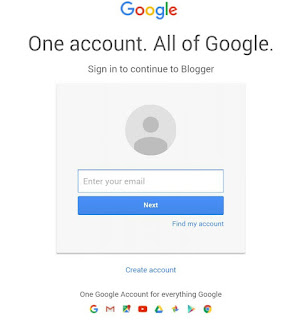
 login to your account

Step 2. Click on New blog (see the image below).

 New blog

Step 3. Enter the title of your website(enter the unique title) and on next column enter the URL for your website


 click on create blog

Step 4. Click on create blog. Now your website is Ready.

[Note: If you want to remove blogspot.com from the link of your website, you need to register a custom domain name from GoDaddy.com or hostgatar.com, To remove blogspot.com from your website URL. Please read this post How to Setup Custom Domain on Blogger with Godaddy.com]

If you have any questions or have problems at any step. Please tell me on comments, I will try to solve your problem.
To Join on Telegram: Click Here
To Join Whatsapp Group: Click Here
Thanks For Reading and All the Best for your website

Note:- If you like this post Please free subscribe us and we will update you with latest posts.
www.Paltechnologyinfo.com

Comments

Popular Posts

Looking For Best URL Shortner For Indian Users during Lockdown, Try This One Out

Hey guys, welcome to my blog. Due to the curse of Corona Virus, CPM (cost per mille) is decreasing rapidly on URL Shortner Website but there is still a url shortner which gives a good CPM even in this hard situation. Friends, we are talking about Once Help . You must check this out. It is one of the best website to shorten url which gives instant payments with High CPM (currently $6 for India)

HOW TO MAKE UNLIMITED GMAILS

You will need an valid gmail account already for this trick i'm going to say that my gmail account is this as an example: masonhayes7321@gmail.com ● After you already have a valid gmail account you will need to go to this site: https://generator.email/blog/gmail-generator ● When you in that site you going to want to put the username of your valid gmail account for example mine will be masonhayes7321 without @gmail.com put that in the generator (Just put your valid gmail on that site and click generate) ● The site will generate tons of mails you want to use those gmails for anything you need and you will receive the messages on your valid email All the messages people send to those generated emails i will receive it on my valid email that it is masonhayes7321@gmail.com so copy any of those generated email from the site and you will receive the email message on your valid gmail

ASUS ZenFone 3 (5.5-inch): Luxury redefined with super performance

Image source

Trick to Block Your Friend Sim Card

Here I am going to share a simple trick for block your enemy sim card,Blocking a sim card is too simple.

Latest Trick to Call Someone With Private Number

This Trick Will Let u Call, SMS Without Any Limit And Credits😍(No TextNow And Other)